Raw Cypher
⌘4. The bar turns mono and runs exactly what you type, read-only. No AI is involved; the query is saved in history as its own question.
Writing it
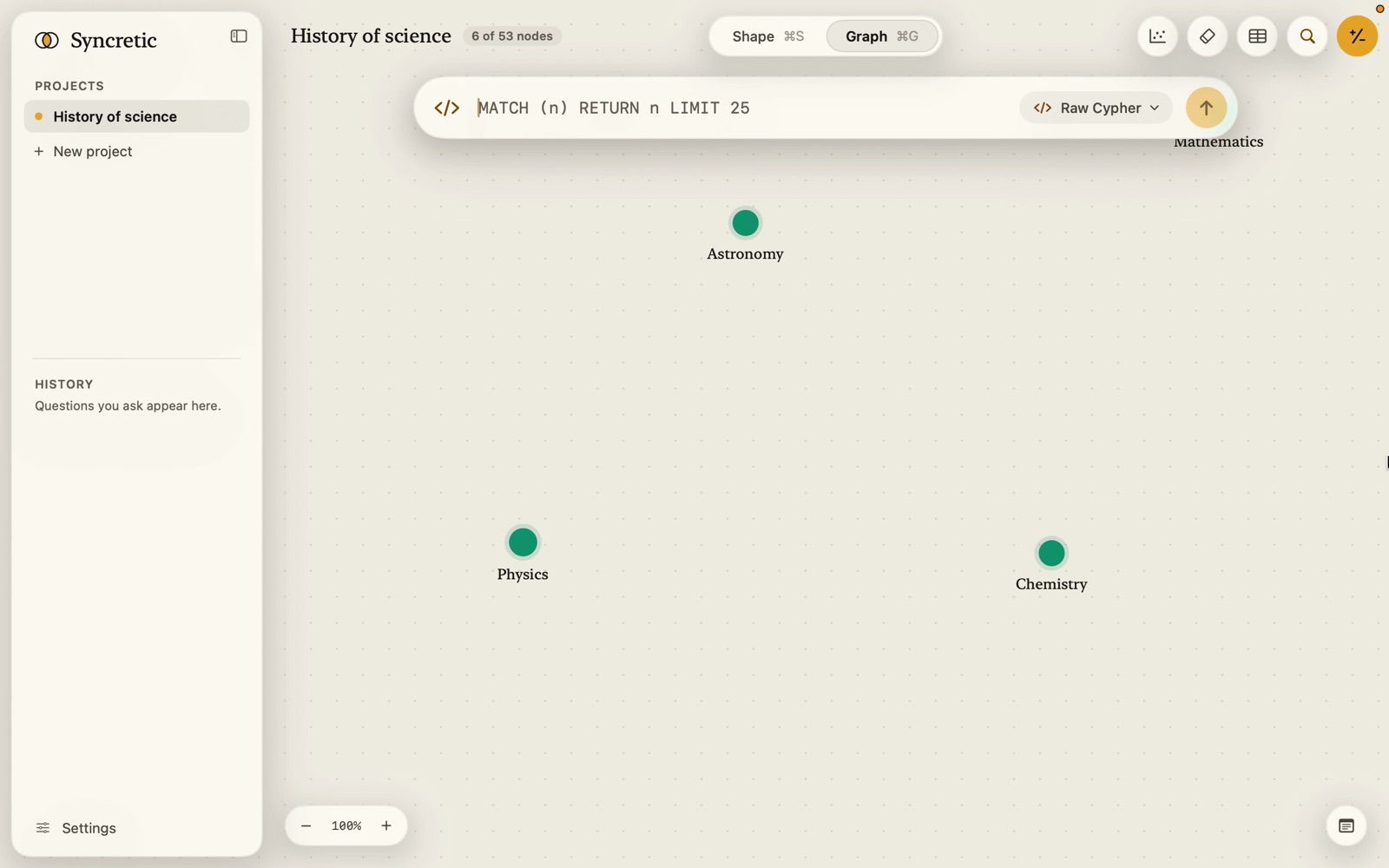
The field highlights as you type: keywords, labels, strings and numbers in their own colours; a label the graph doesn’t have is red with a dotted underline. Pasted text with line breaks is put on one line.
Completion opens as you type and shows, by what the cursor is in:
- after a
:or|inside( ): Node types; inside[ ]: Relationship types; elsewhere, both; - after
variable.: Properties of n (narrowed to the labels you gavenin the pattern:(v:Verse)offers Verse’s columns, each with its shape name and kind: “Translation · Text”;idis always there); - a word anywhere else: the query’s own variables (from patterns and
AS), keywords (MATCH,OPTIONAL MATCH,WHERE,RETURN,WITH,ORDER BY,LIMIT,SKIP,DISTINCT,CONTAINS,STARTS WITH,IS NOT NULL,UNWIND,CASE…), and functions with what they do (counthow many,collectinto a list,labela node’s or relationship’s type,lengtha path’s length,nodes,rels,coalesce…).
Tab completes the first (or highlighted) row; Return still runs the query unless you’ve moved to a row with the arrows. A function comes with both brackets and the cursor between them. Nothing is offered inside a string or a comment, and a number isn’t completed.
Names to use
The database names from your shape: FreeEnergyPrinciple, RELATES_TO, year_published, CONTAINS_ (shown as CONTAINS in the app). The completion lists them; the Cypher block in a Text-to-Cypher trail shows them in use; the MCP get_shape tool prints them all.
The guard
Before anything runs, a keyword check refuses CREATE, MERGE, SET, DELETE, DETACH, REMOVE, DROP, ALTER, COPY, INSTALL, LOAD, ATTACH, USE, EXPORT, IMPORT, BEGIN, COMMIT, ROLLBACK, CHECKPOINT and CALL, and more than one statement: Not run: Ask only reads your graph. This query uses DELETE, which would change it. Then the query runs inside a read-only transaction, the second line of defence. At most 500 rows are kept (“Stopped at 500 rows. The query matches 2,314.”); the trail reports the count and the time.
Keywords are only refused where they’re keywords: a property called set (n.set) or a label named Create is fine.
The dialect
LadybugDB speaks the Kuzu dialect of Cypher. The differences from Neo4j that most examples are written for:
label(n)gives a node’s or relationship’s label; there is nolabels()ortype().- Variable-length paths are written
-[:REL*1..3]->and always need an upper bound; shortest paths are-[:REL* SHORTEST 1..6]->. - A property missing on a node is
NULL; test withIS NULL/IS NOT NULL. - String functions include
lower,upper,contains,starts_with,ends_withandregexp_matches. - Aggregates group implicitly by the other returned columns.
- Every node and relationship has an
idcolumn, a UUID; match one exactly withMATCH (n {id: upper('…')}).
Results
Return whole nodes and relationships (RETURN c, r, s) and they light up on the canvas and list as a table; return scalars and you get a table of values, or a single big number for one value. See Answers on the canvas.
A query from the trail of a Text-to-Cypher answer can be edited and re-run in place: expand the step, click Edit and re-run, change it, ⌘Return. That runs it as Raw Cypher (“Edited query”).