Graph
Graph mode is the knowledge graph itself: beads of light joined by labelled lines. The canvas shows only the part you’ve explored, so a graph of ten nodes or ten thousand opens instantly.
Where to begin
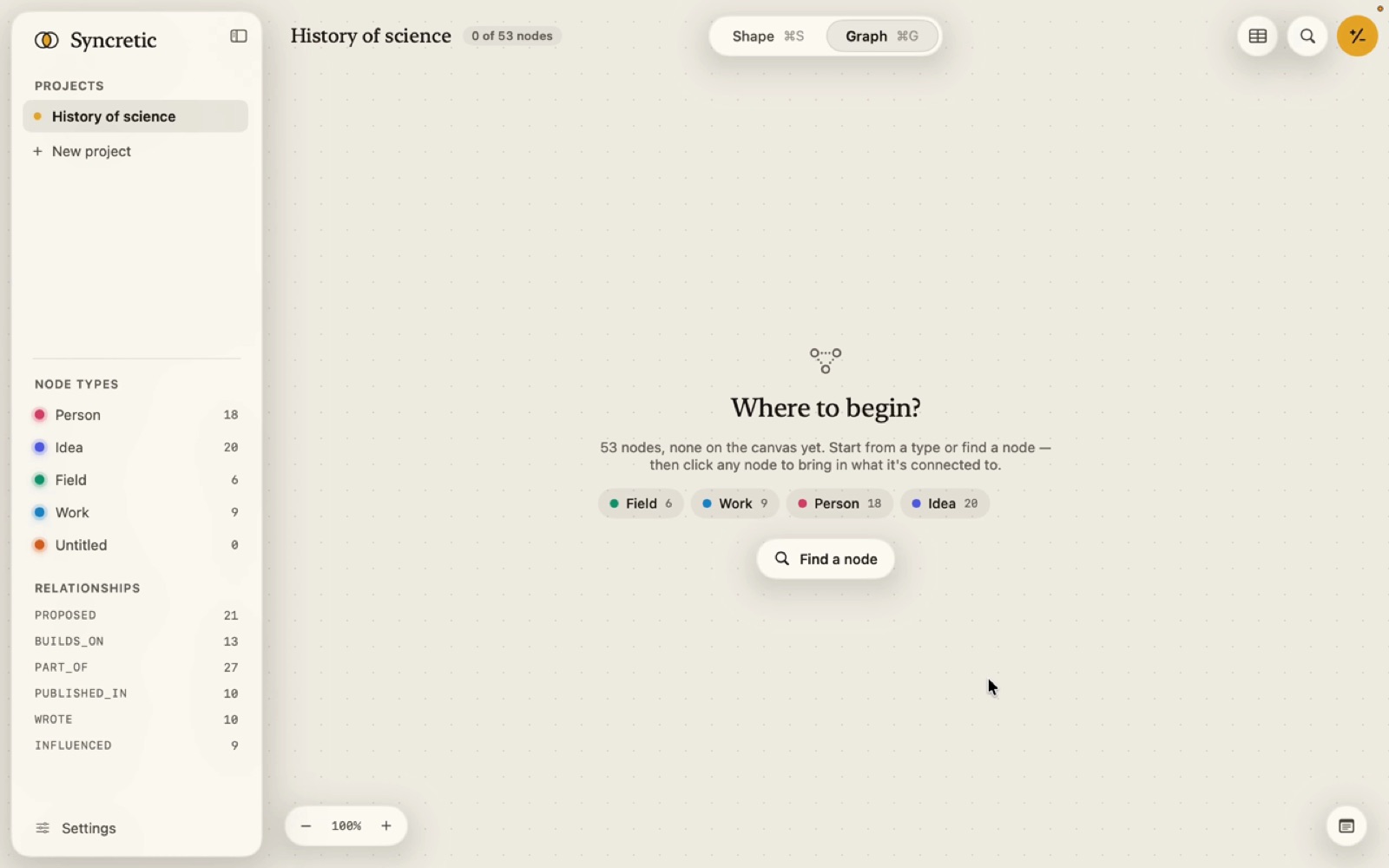
A graph of 300 nodes or fewer opens with every node on the canvas the first time. A larger one opens empty and asks Where to begin?: a chip for each type that has nodes (fewest first, with counts) and a Find a node button that opens the search bar in Raw Text mode.
Nodes come onto the canvas in these ways:
| From | What comes |
|---|---|
| A type chip in Where to begin, or a type in the sidebar legend | the next lot of that type’s nodes, in natural order of their titles (2.9 before 2.10), 25 at a time |
| Clicking a node | its neighbours, by Visual Priority: First types on the first click, First and Normal on the second click or a double-click |
| The +N badge above a selected node, the + key, or Show N more in the inspector | the next lot of its neighbours |
| A type chip in the inspector | only neighbours of that type |
| The right-click menu’s Expand | all, Ad Hoc, by node type, by relationship |
| A search answer | the answer, on its own canvas (see Answers on the canvas) |
| A node you add | goes on the canvas you’re looking at |
The command palette, a connection in the inspector, a tag in a note, an MCP show_nodes call | that node, placed beside the one selected before, and framed |
Connections per click (10, 25, 50 or 100) is set in Settings › Graph.
When a type or node has more to give, a pager at the foot of the canvas says Showing 25 of 212 Verse · Show 25 more · Show all (or “…connected to “BG 2.47””). Show all asks first above 300: “A canvas this full takes a while to lay out and is hard to read.”
Taking things off
- H hides the selected nodes, with what came out of them only. They stay in the graph. The inspector’s eye-slash button does the same for one node.
- The right-click menu’s Fold takes nodes off by rule (see Expanding and folding).
- Clear the canvas (eraser in the top bar, ⇧⌘K) takes everything off. Nothing is deleted.
- Deleting is different: Delete or the inspector’s Delete removes a node from the graph. See Removing.
What’s saved
Which nodes are on the canvas, where they are, which are pinned, and which node brought each one in are saved with the project, so it opens as you left it. The status capsule in the top bar reads “48 of 1,200 nodes” while not everything is on the canvas.
The search bar’s answer has its own canvas. While the bar is open with an answer, you’re looking at the answer, not what you explored; close the bar or clear the answer and your canvas is back as it was.