Nodes, lines and hover cards
A node
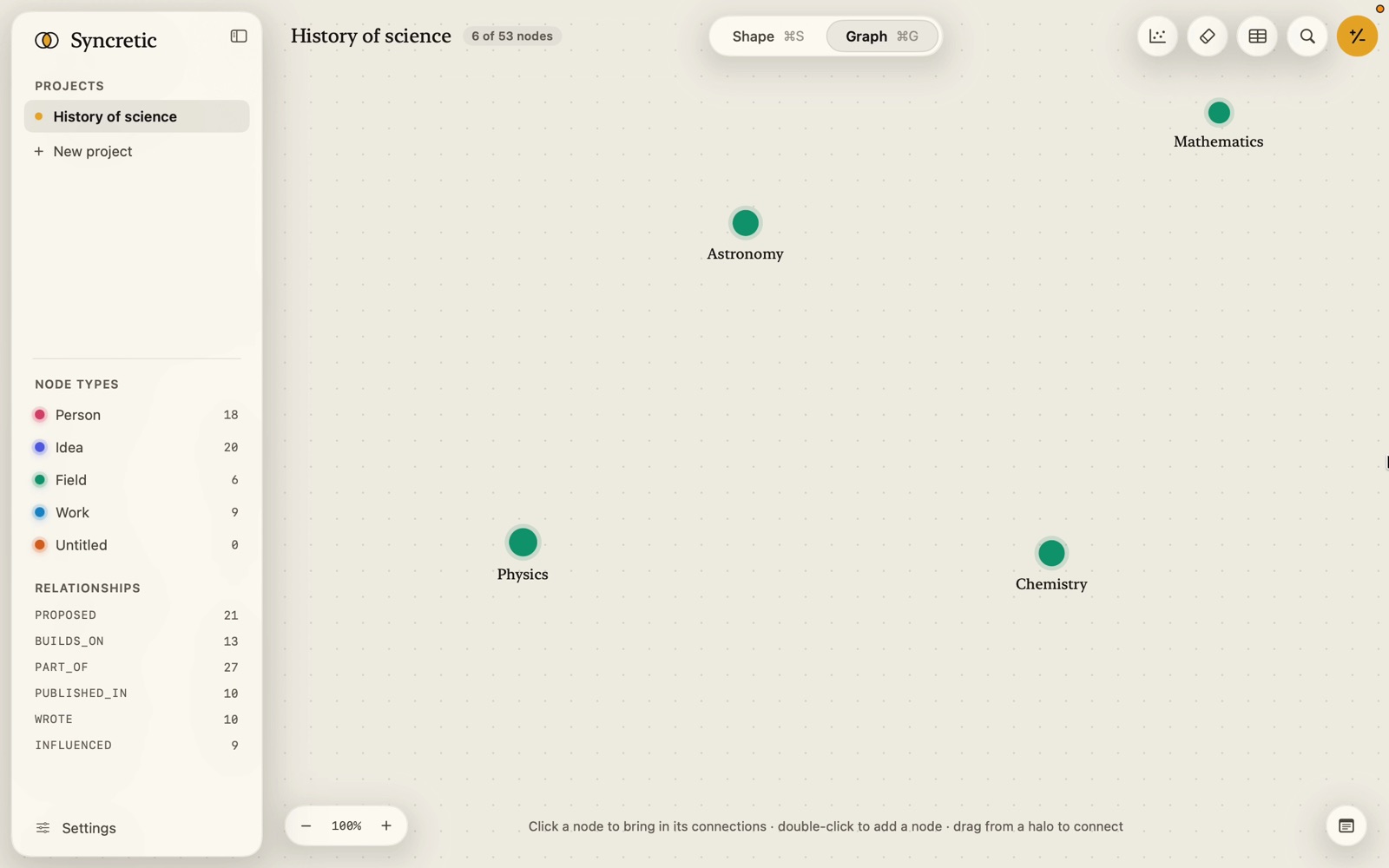
- A bead in its type’s colour. Its radius grows with its connections: 8 points plus one per connection, up to five more.
- In dark mode a soft glow of the same colour; in light, a faint halo.
- Its title under it, in serif, cut to 30 characters with ”…” (60 when selected or hovered). Labels hide below 42% zoom.
- A boolean mark at its upper right when its type shows one: a green disc with a tick for yes, a red one with a cross for no.
- Selected: a gold ring and glow. Hovered: a thin gold halo ring, which gets brighter under the pointer; drag from it to connect.
- Pinned (dragged where you put it): a small dot in the centre, shown on hover; the hover card and inspector show a pin.
- Dimmed while an answer or a connecting drag is in progress and the node isn’t part of it.
A selected node also carries badges above and to its left: a gold +N when N of its First and Normal neighbours are off the canvas (click it to bring the next lot), and on a paged answer a quieter +N results for the answer’s results connected to it.
A line
- A curve from node to node with an arrowhead at the end; a two-way connection has one at each end; a self-loop is a small loop beside the node.
- Several connections between the same two nodes fan out.
- Its name sits at the middle: the relationship’s name in mono capitals, or, when the relationship has a title property, that value in serif italics. Names hide below 55% zoom and are left off lines too short to hold them.
- A boolean mark on a connection leads its name.
- Lit (gold) when the line or either end is selected, or when an answer includes it; dimmed when an answer doesn’t.
- Hover a line (at zooms above 30%) and it brightens; click it to select the relationship.
Zoom
Scroll with ⌘ or pinch to zoom; the control at the foot shows the percentage and fit (⌘0) frames everything. Free layout zooms the whole picture. An arranged canvas zooms in bands, like a map: from 100% in, nodes keep one size on screen so zooming in spreads them apart; down to 30% they shrink with the canvas; below that they stay small dots.
The hover card
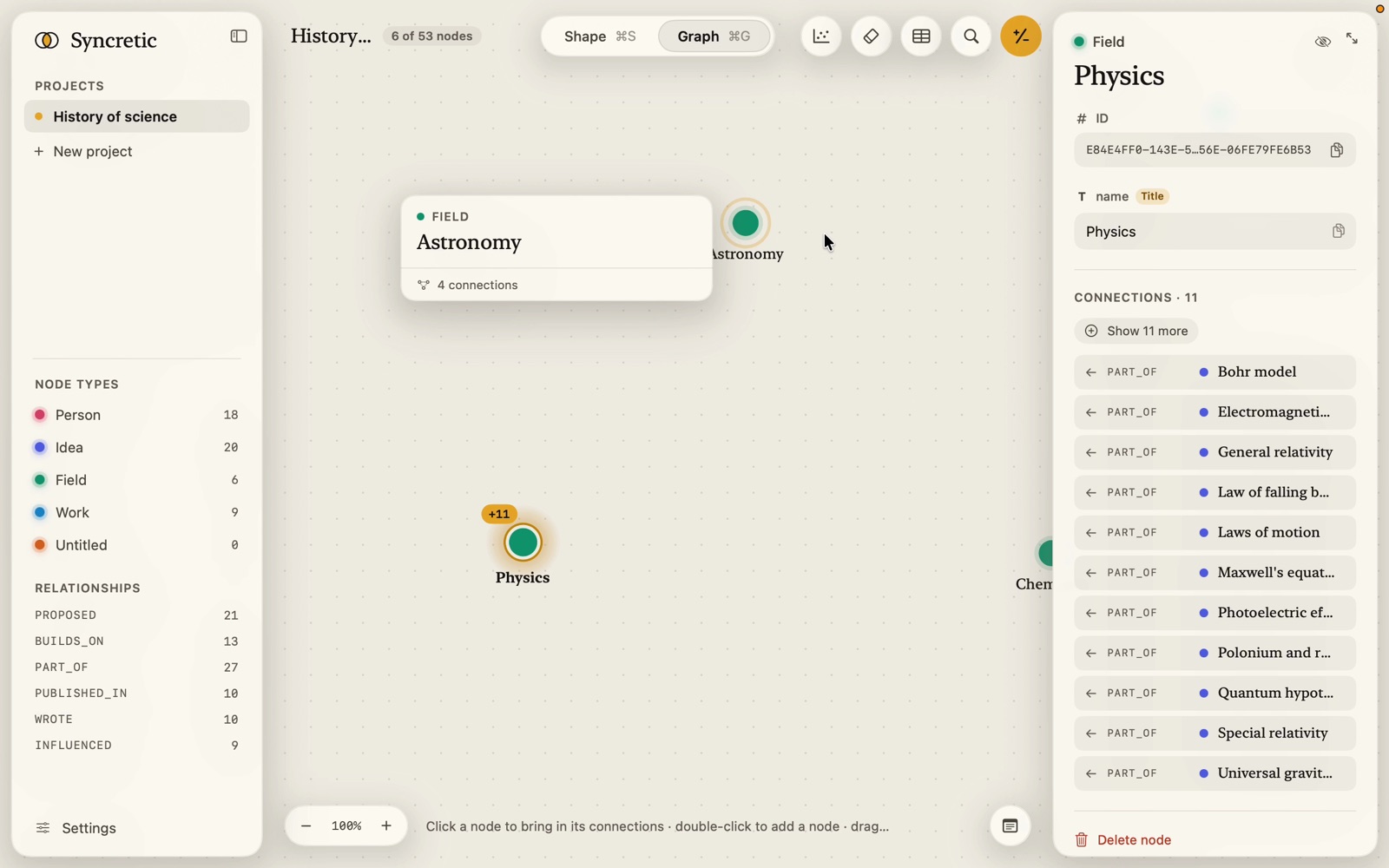
Rest the pointer on a node and a card opens out beside it, away from its glow, flipping sides to stay in view. It is only to read: nothing on it is clickable, and it goes away the moment the pointer leaves the node, or when you click or drag.
For a node: a link’s picture across the top (when a preview has already been fetched; hovering never fetches), the type with its colour dot, a pin if pinned, the title, up to eight filled-in properties (numbers in mono, links as their site, booleans as a tick or cross, enums as tags, text up to four lines; empty ones are left out; more than eight says “N more in the inspector”), and how many connections it has.
For a connection: the relationship’s name, “Both ways” when it is, its title if it has one, the two ends as tiles with the arrow between them, and its filled-in properties.
With Reduce Motion off, the card eases open over a tenth of a second from the point nearest the node; with it on, it simply appears.