The table
Press ⌘T, or click the table button in the top bar, and the canvas dims behind a table of nodes. Click the dimmed canvas, the ×, or press Esc to close it. With the sidebar hidden the table takes the window’s whole width.
One block per type
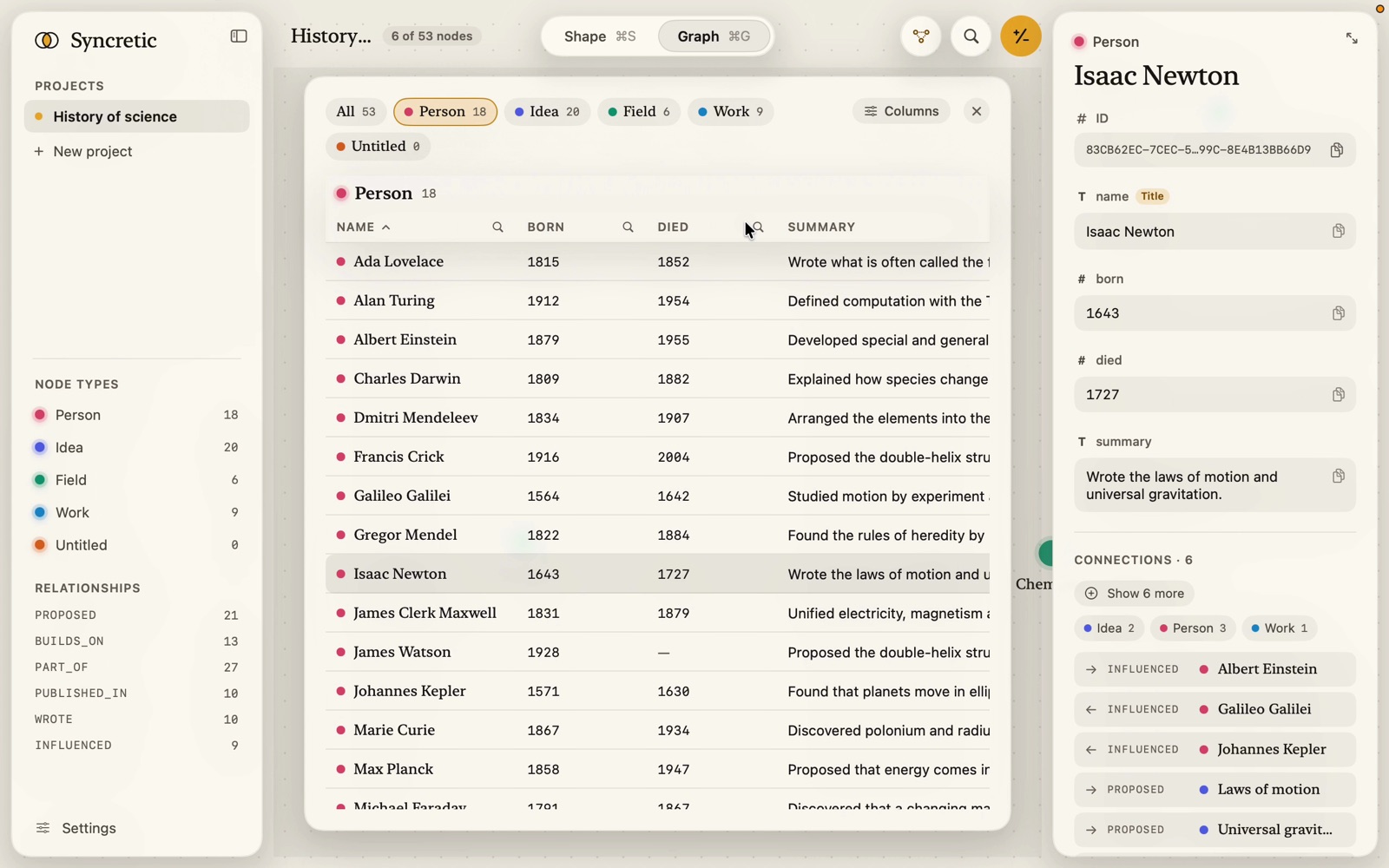
At the top, chips: All (every node, with the total) and one per type with its count. Click a chip to add or take away that type; ⌥-click to show it alone; taking the last one away shows all. The first type is shown to begin with; the choice is kept while the table is closed.
Each type is a block with its own columns, so every cell is that node’s own property: the block’s header (bead, type name, “212” or “12 of 212” while searched) stays at the top while its rows scroll under it. A type with no nodes is left out of a many-type view, but shows even empty when picked alone.
Columns
The name column always shows: the title property’s value (so numbers sort as numbers), or the node’s name as shown for a type without a title. Then every other property, in the shape’s order. Column widths fit their longest values, within limits, measured over every node of the type so they hold still while you search.
Columns (top right) opens a chooser: a switch per property per type shown, Hide all / Show all per type, and Show all. Hidden columns stay hidden when the table’s closed.
Sorting
Click a column’s name to sort the block by it; click again to reverse. The chevron shows the direction. Numbers sort as numbers, empty values last, text in natural order. Each block keeps its own sort.
Searching
Each column header has a magnifier; click it and a field takes the header’s place. The match is loose (case, accents, spaces and punctuation don’t count; a yes/no column answers to “yes”, “true”, “no”, “false”), waits for a pause in typing, and rows must match every column searched. Matches are highlighted in the cells. A line above the table says “48 of 212 match” with Clear searches. Esc in a search field closes that search; Esc otherwise closes the table.
Cells
- Name: bead and title.
- Boolean: a live switch (changing it edits the node).
- Enum: a tag. Link: the site, which opens the link. Number: mono. Empty: —.
Click a row to select the node (the inspector shows it); right-click for Copy ID.